

A schedule built for real clinic coordination
Keep providers, locations, appointment states, and open capacity visible in the same operational view.
Explore this workflowAll-in-one therapy practice platform
ClinicPro360 is therapy practice management software for multi-provider teams — patients, scheduling, documentation, and billing in one secure, connected workspace at one flat price. Owners and managers gain clearer handoffs without adding a software fee for every clinician.
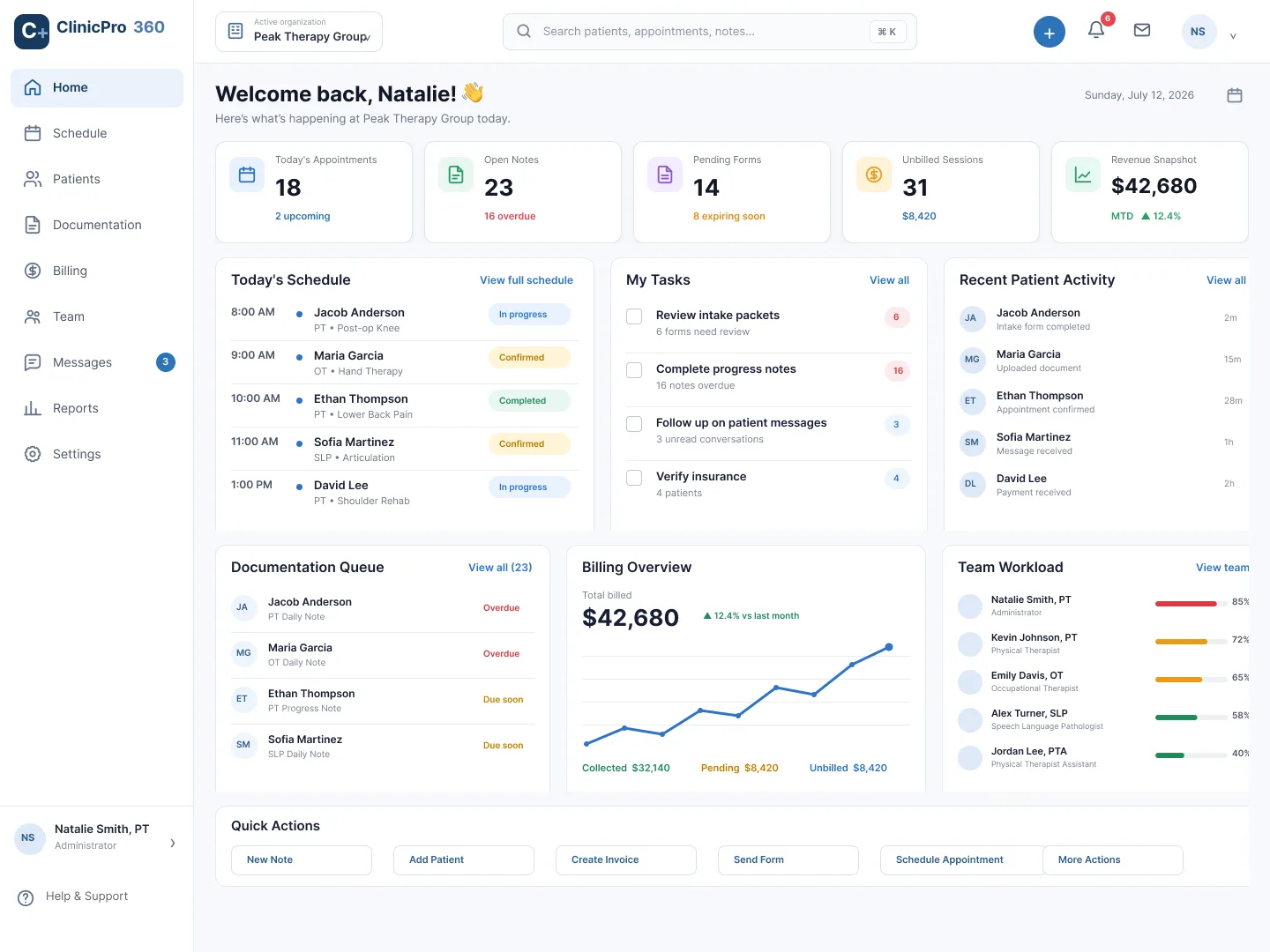
Built for group practice operationsacross distinct clinic roles
See the platform at work
Explore the product views behind the promise: schedule coordination, documentation follow-up, financial work, and patient communication in one consistent system.
Keep providers, locations, appointment states, and open capacity visible in the same operational view.
Explore this workflow
Separate drafts, overdue work, review items, and signed notes so the clinical team can act on the right record.
Explore this workflow
Review revenue signals, aging, unbilled visits, claims, and patient balances from a connected billing workspace.
Explore this workflow
Keep the inbox, patient context, forms, and follow-up actions together instead of treating messaging as a separate island.
Explore this workflowBuilt for how you work
Core clinical and operational work stays connected from the first appointment through follow-up.
Coordinate appointments, availability, locations, and requests without losing the day’s context.
Learn moreKeep patient information, forms, messages, and follow-up work organized and accessible.
Learn moreMove from the schedule into templates, notes, signatures, and supervision workflows.
Learn moreReview services, invoices, patient payments, claims, and reconciliation from one workspace.
Learn moreRole-aware workspace
People can work from the same practice context without needing the same navigation, permissions, or task view.
Explore role and practice solutionsReview practice setup, coordinate locations, and manage clinician and staff access.
Work from the day’s schedule into the right patient, form, note, inquiry, or handoff.
Find unbilled work, payments, invoices, claims, and reconciliation tasks in clear queues.
Use a simpler portal for appointments, forms, messages, billing, resources, and enabled telehealth sessions.
Practice context
ClinicPro360 models organization, location, and role context so supported workflows can stay tied to the active practice.
Security and privacy
Product safeguards and production operations are different layers. ClinicPro360 documents the implemented access model while keeping deployment-dependent controls explicit.
Requests and workflows resolve the active practice context before organization-scoped work.
Routes and actions use role, membership, and capability checks for supported product areas.
Provider setup, credentials, policies, agreements, and ongoing operations remain part of your clinic’s go-live readiness.
Practice resources
Evaluation guide
Evaluate workflow fit, role clarity, data boundaries, implementation, and operational readiness.
Read guide: Choosing therapy practice management softwareOperations guide
Define roles, handoffs, schedules, documentation, billing work, and patient follow-up.
Read guide: Map the work of a growing group practiceMulti-location guide
Map location context, role boundaries, scheduling, cross-site handoffs, and practice-wide oversight.
Read guide: Coordinate clinic operations across locationsFrequently asked questions
ClinicPro360 costs $59 per month for Essentials, $149 per month for Professional, and $299 per month for Elite. Every price is per practice, per month — one flat bill that covers your whole team within plan limits, not a per-clinician fee. Plan fit and current terms are confirmed in writing during onboarding.
ClinicPro360 connects scheduling, patient records, forms and documentation, staff operations, billing workflows, messaging, resources, and patient self-service in one role-aware product.
The platform is built for multi-provider therapy practices, including owners, administrators, clinicians, front desk teams, billing staff, and patients.
ClinicPro360 includes organization and location concepts across scheduling, staff assignments, patients, services, and practice management. Exact plan access is confirmed during evaluation.
The product is designed around organization context, role-aware access, explicit session behavior, audit-focused workflows, and encrypted-field support. Production security also depends on properly provisioned providers, keys, policies, and operating procedures.
Request a walkthrough and describe your practice structure and operational priorities. We will use that business context to focus the product conversation without requesting patient or clinical information.
Focused product walkthrough
Share your business structure and the workflows you want to evaluate. Keep patient and clinical information out of this public form.
Discuss scheduling and location structure.
Review staff, patient, and documentation workflows.
Map billing and insurance operations.